BeepBeep

Your car has
a lot to say.

Plug in a small OBD-II adapter and BeepBeep turns your phone into a live engine dashboard, a mechanic who explains the warning light, and a logbook for every drive.

Coming soon for iPhone, iPad, Mac and Android.

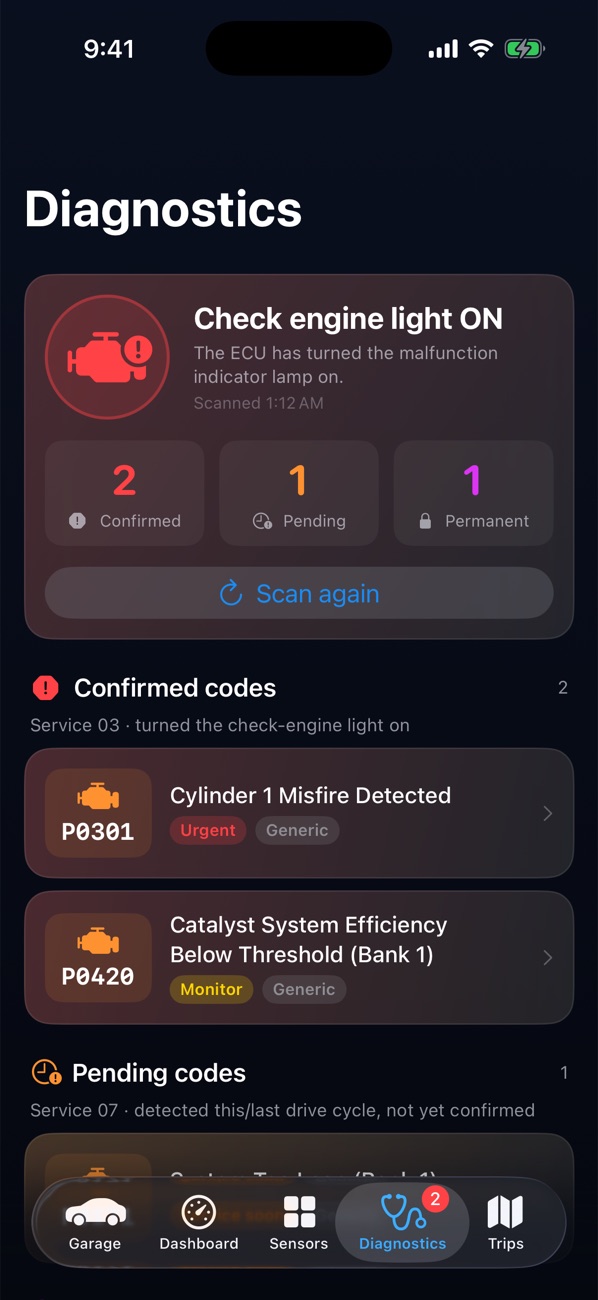
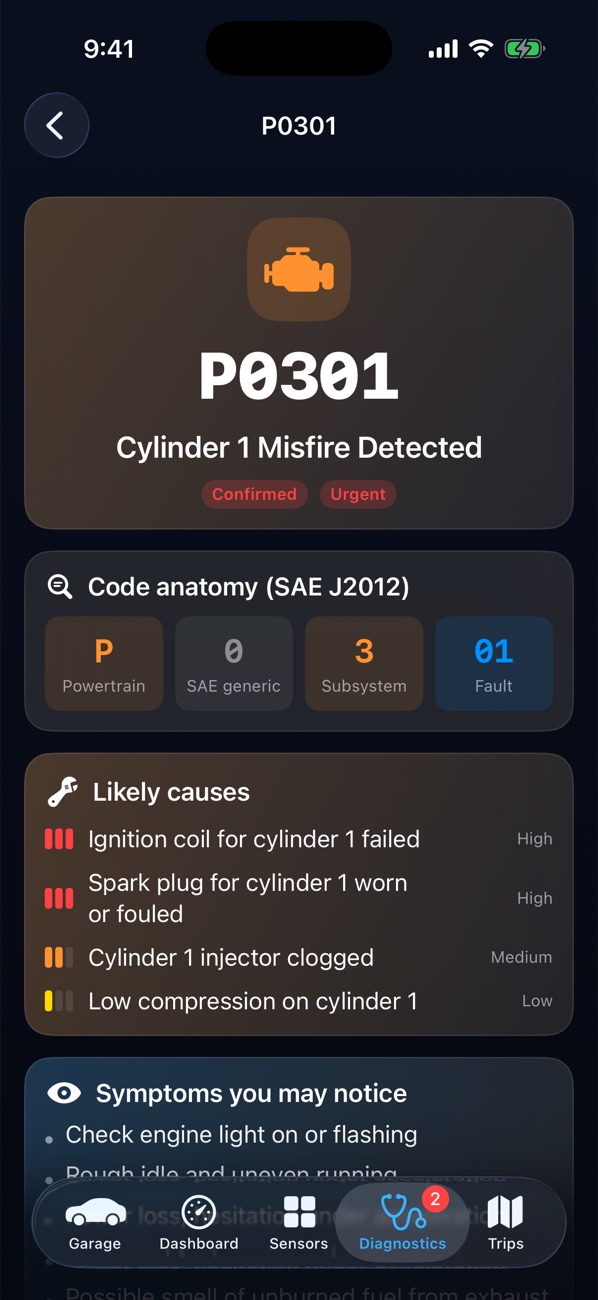
Diagnostics with trouble codes
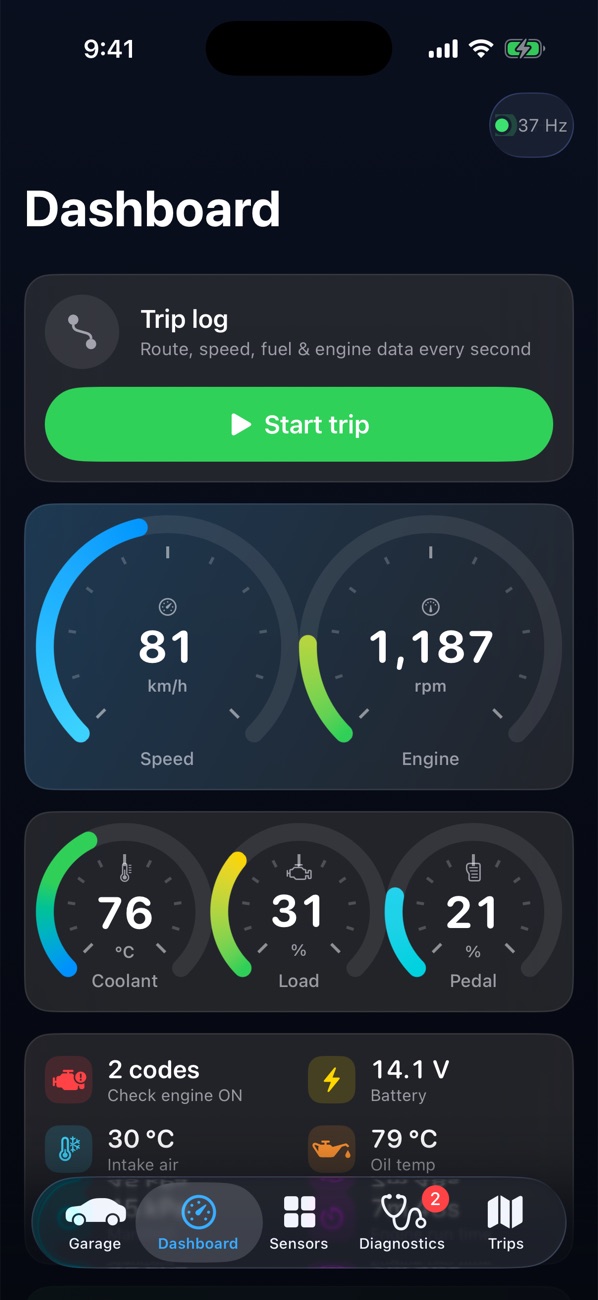
Live dashboard on iPhone
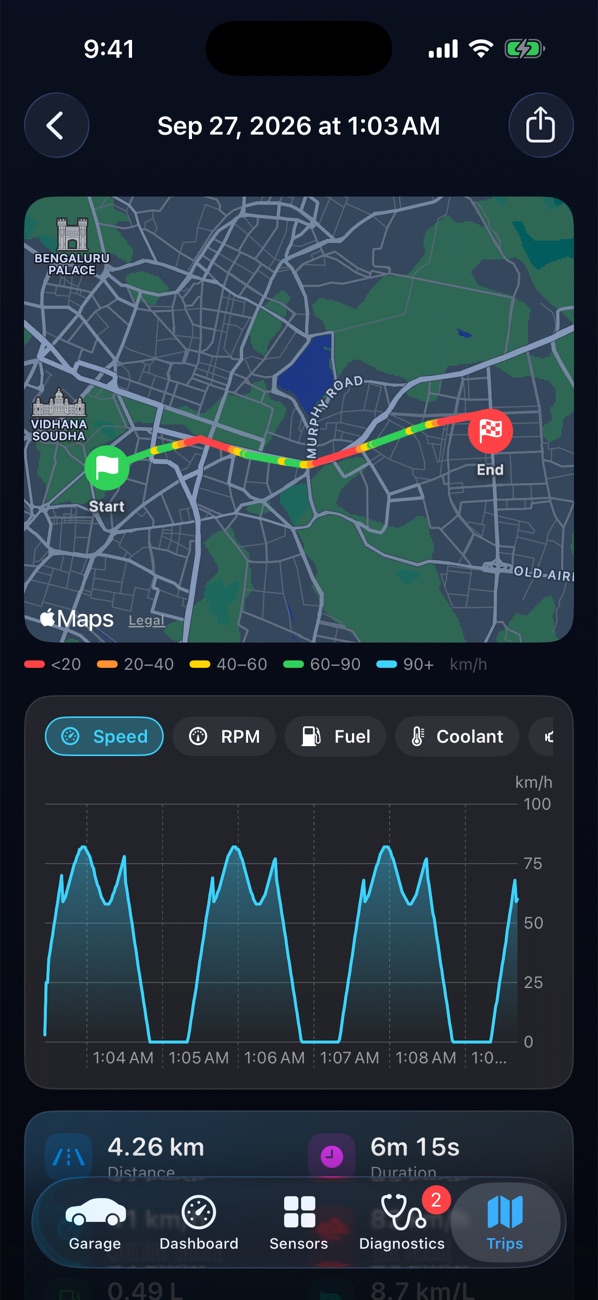
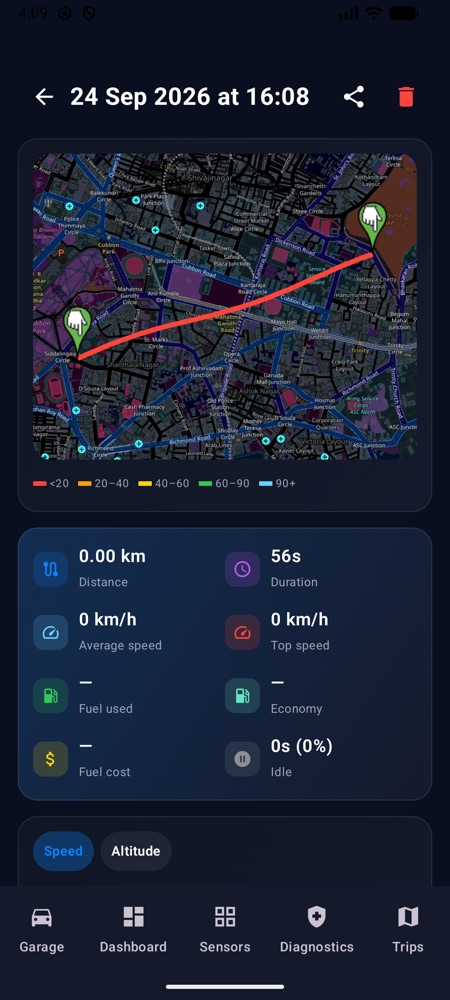
A trip on the map

Live

See inside
your engine.

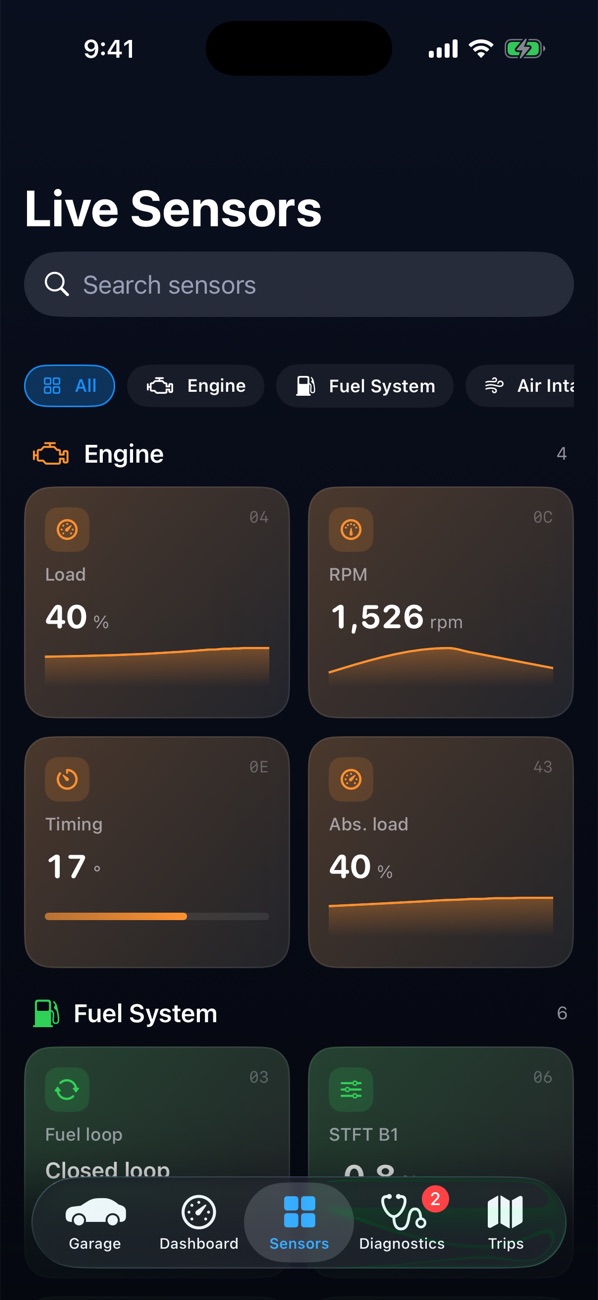
Speed, RPM, coolant, boost, throttle and 80+ sensors — straight from your car's computer, as clear gauges and live charts. Every sensor comes with its normal range and a plain-language explanation.

80+standard sensors
9OBD protocols, found for you
1 tapto connect
Live sensors with charts

Diagnostics

The warning light,
explained.

Read stored, pending and permanent trouble codes — then see what they mean in plain words: likely causes, symptoms, how hard the fix is and what it usually costs. From a library of 9,500+ codes.

Check readiness before a PUC test, see the freeze-frame from the moment a fault happened, and clear codes after a repair.

Trouble codes with the check-engine light status
A trouble code explained: likely causes and symptoms

Trips

Every trip,
remembered.

Trips record automatically: your route on the map coloured by speed, distance, time, idling, fuel used and what it cost — plus a driving score that notices hard braking and sharp turns.

Compare the fuel figure with your car's trip computer and calibrate it in one tap. Share any trip as a summary, spreadsheet or GPX.

Trip on the map with speed chart

And there's more

Everything your car can tell you.
In one app.

9,500+

Trouble codes explained

Causes, symptoms, repair difficulty and typical cost for each.

Fuel

Economy you can trust

Calculated from your engine's airflow and load, calibrated to your car. Petrol, diesel and E20.

📐

Motion

Tilt, g-forces, sharp turns and road bumps from your phone's sensors.

🌿

PUC ready?

Readiness monitors show if your car will pass an emissions test.

💧

AdBlue level

Diesel exhaust fluid and SCR status on cars that report it.

🔄

Backed up, on all your devices

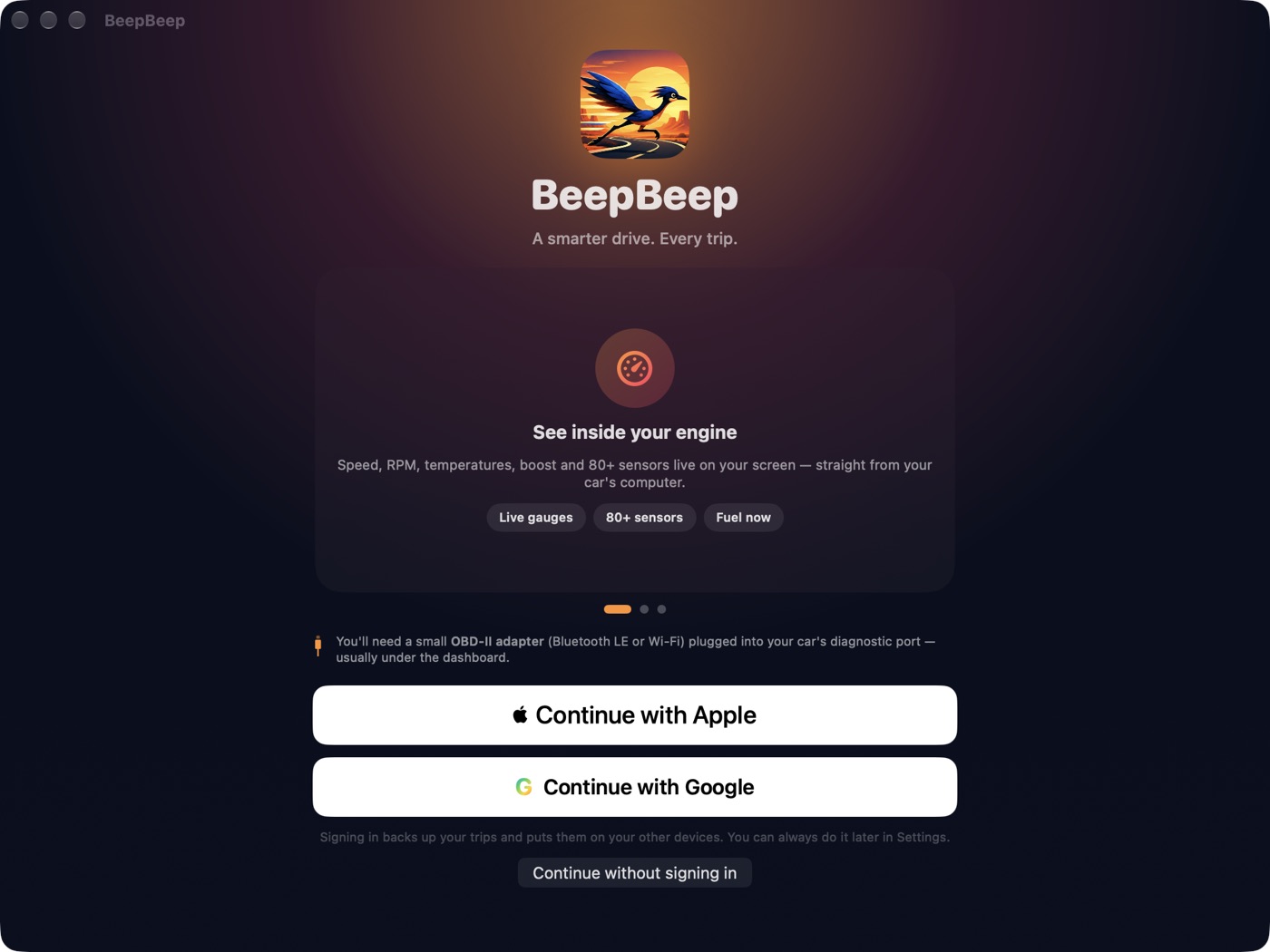
Sign in with Apple or Google — optional — and your trips are backed up to your private account. With Pro they follow you across iPhone, iPad, Mac and Android.

🔍

Your car, identified

Reads the VIN and picks the right settings for your model.

Everywhere

Works on everything
you drive with.

iPhone, iPad, Mac and Android all connect to your car — and your trips are there on every one of them.

iPhone
iPhone · iPad
Mac
Mac
Android
Android

Get started

Up and running in a minute.

1

Plug in

Push an OBD-II adapter into the diagnostic port — usually under the dashboard, near the steering column.

2

Connect

Start the engine, open BeepBeep and tap your adapter. It finds your car's protocol and sensors by itself.

3

Drive

Watch the dashboard, check any warning light, and find every drive in Trips afterwards.

The adapter

Any ELM327-compatible OBD-II adapter. For the best experience: OBDLink CX or vLinker.

Your phone

iPhone, iPad, Mac: Bluetooth LE or Wi-Fi adapters.
Android: also classic Bluetooth and USB.

Your car

Petrol, diesel and E20 cars with OBD-II — in India since about 2008 (BS-IV), Europe since 2001/2004, the USA since 1996.

Privacy

Your car. Your data.
Your call.

📱

Your trips are yours

Routes, fuel and car data stay on your phone — and in your private account if you sign in. Only you can see them.

🙅

Only road quality, anonymously

The one thing BeepBeep takes from a trip is how rough the road was — never who you are — and never the first or last 500 m.

🔒

No account needed

Everything works without signing in. Delete your account and everything in it goes, with one tap.

🚫

No ads. No tracking.

We don't sell data, show ads or track you. Ever.

Read the privacy policy ›

Questions? Answers.

Can BeepBeep harm my car?

No. It reads standard diagnostic data. The only thing it can change is clearing trouble codes — and it always asks you first.

Will it work with my car?

Almost certainly, if your car is from the last 15 years: OBD-II has been required in India since BS-IV. Some cars share fewer sensors than others; BeepBeep shows whatever yours provides.

How accurate is the fuel figure?

It's calculated from your engine's own airflow, load and fuel data. Compare it once with your car's trip computer and calibrate it with one tap.

Do I need an account?

No. Signing in with Apple or Google is optional. It backs up your trips, fill-ups and settings to your private account, so they come back on a new phone; with Pro they also sync between your devices. Without an account, your trips are on your phone only.

What does BeepBeep collect?

Only anonymous road quality: when a trip ends, how rough the road was in small 50 m sections, with the date but no times — never your name, account, car or the first and last 500 m of the trip. It builds a road-quality map for everyone. You can switch it off in Settings → Privacy. Your trips themselves stay yours.

My car doesn't answer. What now?

Make sure the engine is running and the adapter is pushed in fully, then connect again. Some cars answer only part of the time; BeepBeep retries automatically. More help on the Support page.